Open Campus from your Home Screen. No app store download needed.
Choose your phone
Go to mysaloncampus.com in Safari.
Tap Log in and sign in. Your salon's app becomes available after you sign in.
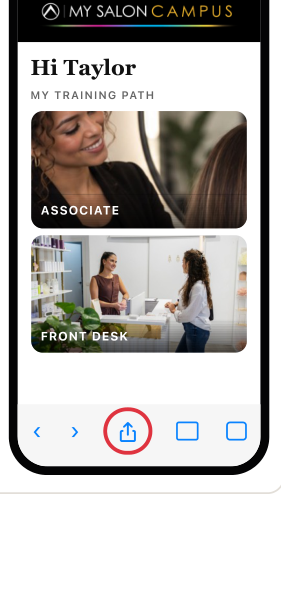
Find the square with the arrow pointing up. On some iPhones, tap the menu first.
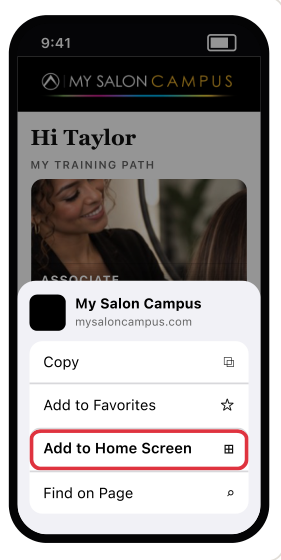
Scroll the Share options and tap Add to Home Screen.
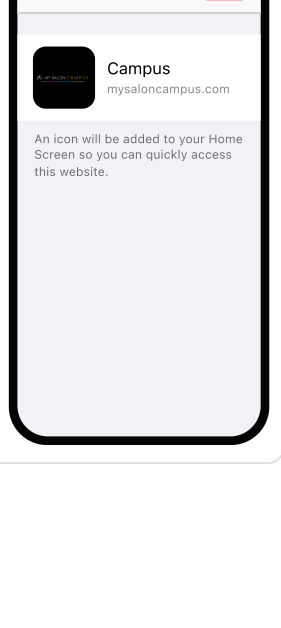
Confirm the icon by tapping Add in the top-right corner.
 Campus
Tap your new Campus icon. It shows your salon's logo (this is Noir Salon's). Sign in once more if it asks.
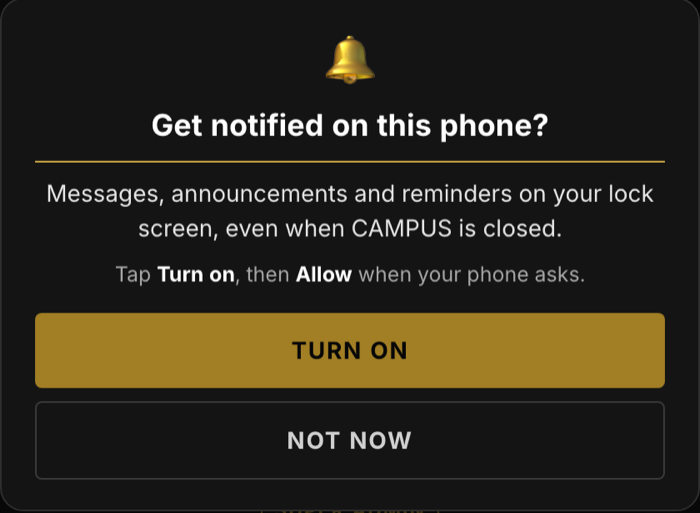
The first time you open Campus, it asks Get notified on this phone? Tap Turn on, then Allow. No pop-up? Turn them on yourself.
Go to mysaloncampus.com in Chrome.
Tap Log in and sign in. Your salon's app becomes available after you sign in.
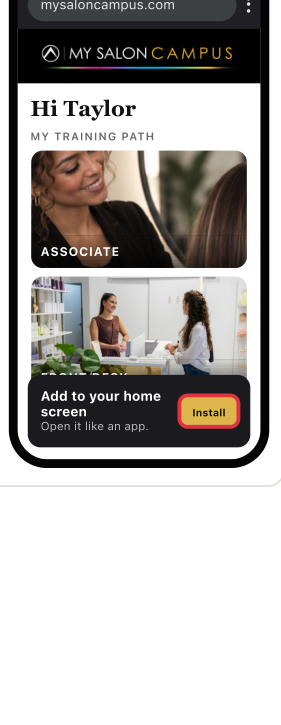
If the site shows Add to your home screen, tap Install.
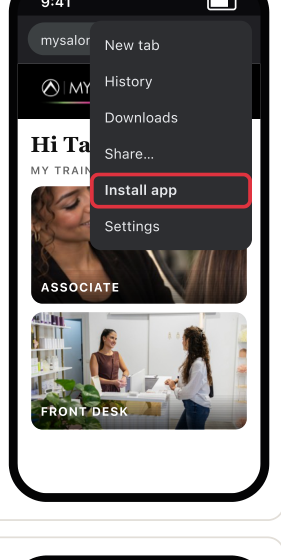
No prompt? Tap Chrome's three-dot menu, then Install app.
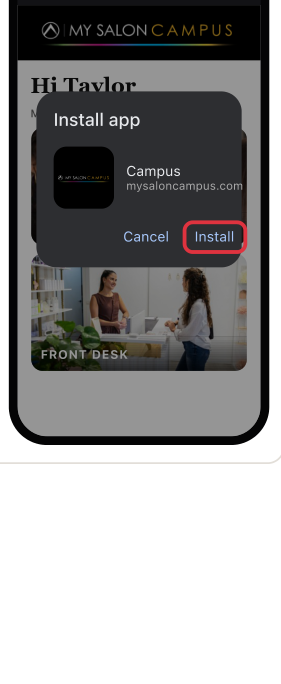
Tap Install. If your phone asks, tap Add as well.
CampusTap the Campus icon on your Home Screen or app list. It shows your salon's logo (this is Noir Salon's).
The first time you open Campus, it asks Get notified on this phone? Tap Turn on, then Allow. No pop-up? Turn them on yourself.
Log out, delete the MSC icon from your phone, then go back to mysaloncampus.com in Safariin Chrome. Sign in again, then add the app.
Use Safari, not a browser inside another app.Use Chrome, not a browser inside another app. Try the three-dot menu.
That's normal the first time you open it from the Home Screen.
